Introduction
Learning UI is an interactive learning environment with step-by-step instructions and a web terminal. It’s a self-hosted alternative to KillerKoda/Katacoda for hands-on tutorials.
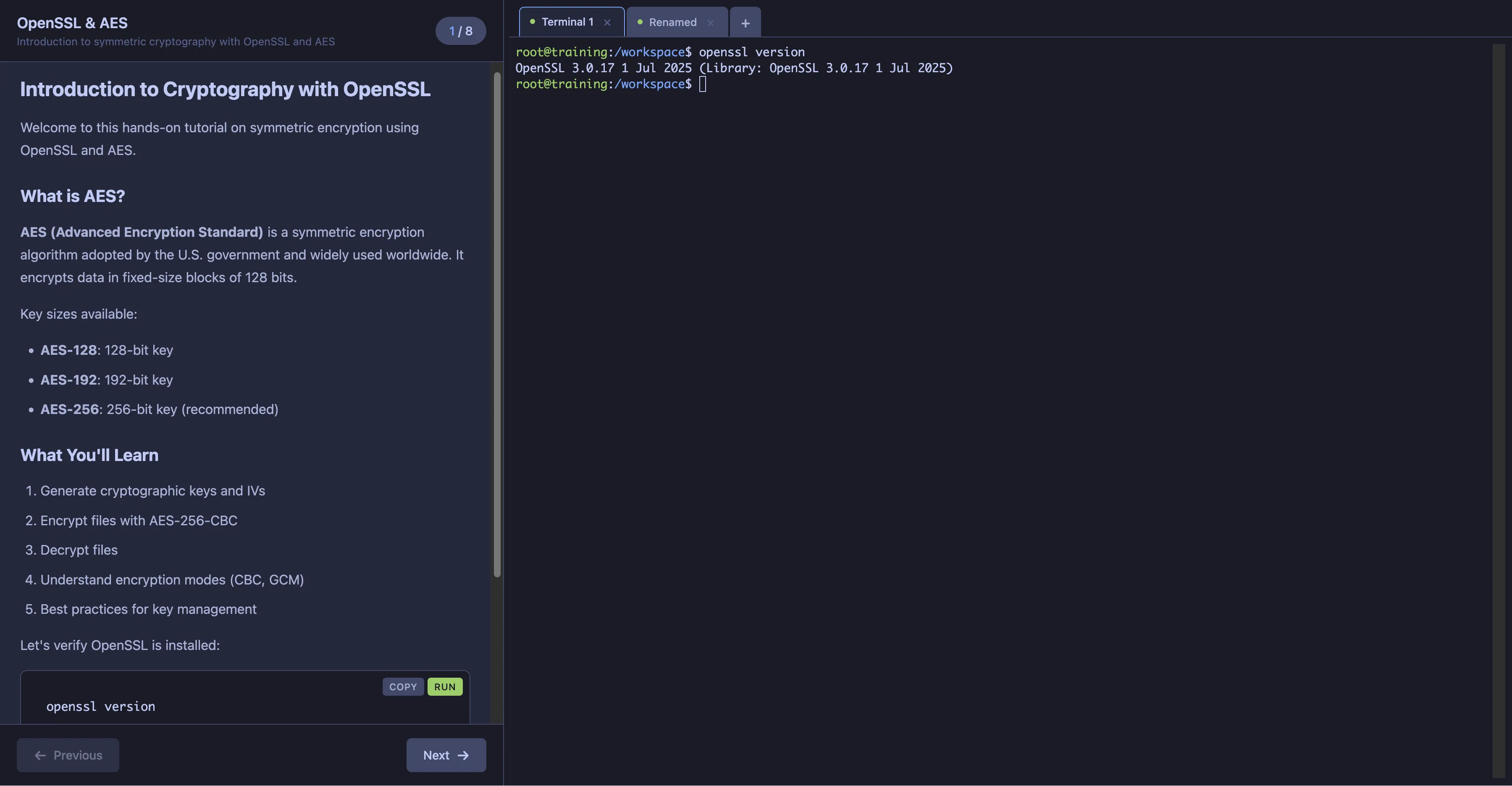
Features
- Split-pane interface with markdown instructions and web terminal
- Multiple terminal tabs (same container, independent shells)
- Step-by-step progression with optional validation checks
- Copy/Run buttons on code blocks for quick execution
- Syntax highlighting for code examples
- Resizable panels
- Persistent workspace storage
- Customizable shell container per scenario
- Optional IDE: Integrated code-server (VS Code in browser)
- Optional K3S: Embedded Kubernetes cluster for K8s tutorials
- Custom tabs: Add any additional services (Jupyter, Grafana, docs, etc.)
Quick Start
Install with Helm
# Basic installationhelm install my-learning ./chart
# With code editor enabledhelm install my-learning ./chart --set editor.enabled=true
# With embedded K3S cluster (for Kubernetes tutorials)helm install my-learning ./chart --set k3s.enabled=true --set editor.enabled=true
# Using a custom scenario filehelm install my-learning ./chart -f chart/values-kubernetes.yaml
Access the UI
# Port-forward if no ingresskubectl port-forward svc/my-learning-learning-ui 8080:8080
# Open http://localhost:8080
Architecture
┌─────────────────────────────────────────────────────────────┐│ Ingress │└─────────────────────────────────────────────────────────────┘ │ ▼┌─────────────────────────────────────────────────────────────┐│ Learning UI Pod ││ ┌─────────────────────────────────────────────────────┐ ││ │ Go Server (embedded web UI) │ ││ │ - Serves HTML/CSS/JS │ ││ │ - API: /api/scenario, /api/steps, /api/steps/check │ ││ │ - WebSocket: /ws/terminal │ ││ └─────────────────────────────────────────────────────┘ │└─────────────────────────────────────────────────────────────┘ │ │ │ kubectl exec │ Read ConfigMap ▼ ▼┌───────────────────────────────────────┐ ┌──────────────────────────────┐│ Shell Pod (StatefulSet) │ │ Scenario ConfigMap ││ ┌──────────┐ ┌───────┐ ┌─────────┐ │ │ - scenario.yaml ││ │ shell │ │editor │ │ k3s │ │ │ - 01-intro-content.md ││ │container │ │(opt) │ │ (opt) │ │ │ - 01-intro-check.sh ││ │ │ │ │ │ │ │ │ - ... ││ └──────────┘ └───────┘ └─────────┘ │ └──────────────────────────────┘│ /workspace (PVC) │└───────────────────────────────────────┘Next Steps
- Learn how to write scenarios
- Explore the terminal feature
- Set up Kubernetes environments
- Add a VS Code editor
- Create custom tabs